![logo.png]](https://kb.prologicfirst.online/hs-fs/hubfs/Imported%20sitepage%20images/logo.png?height=40&name=logo.png)
Prerequisites:
-
WebTouche Link
-
Administrative Configurations Login
- Configurations Access to User Master and User Outlet Link
-
User Details
To create users, follow the steps as below:
1. Go to User Master, click on Add New and set the Code, Name, Function Template and click on Save.
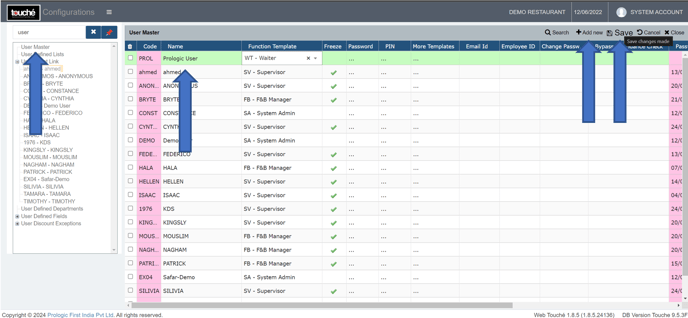
Function Template assigned will set the permissions of functions in the POS/Reports/etc. To manage, view here: https://kb.prologicfirst.online/articles/pos-users-permissions
Deactivation of user can be done by ticking the Freeze box and selecting Save
2. After saving, find the user created, click on the Password field against its line.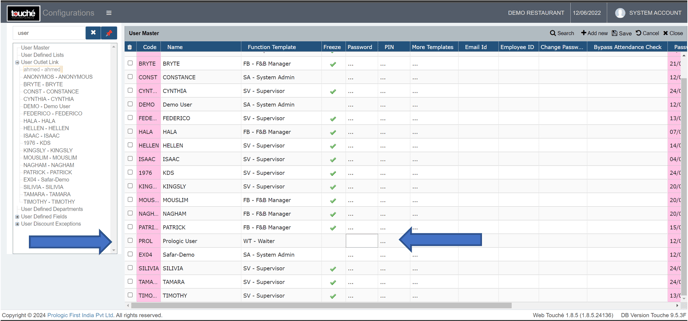
3. Enter the password to be assigned and click OK and Save
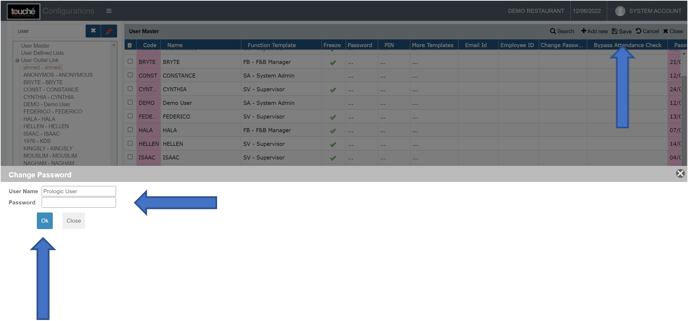
Passwords can be changed/modified here as well
Certain passwords will be restricted based on policies set and usage by other users
4. Go to User Outlet Link, click the + sign and select the user created, tick the box next to the name of the outlet to which its to be given access to.
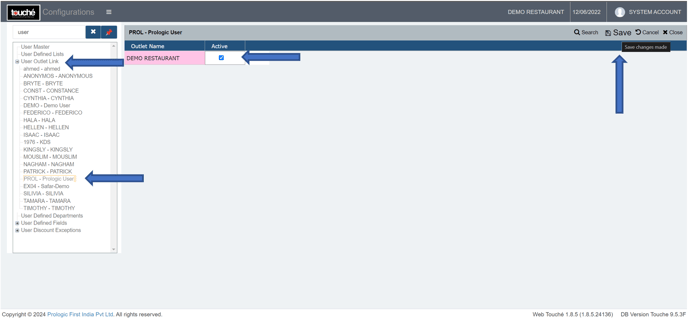
Outlet restriction can be done by leaving only the required outlets ticked and rest unticked
5. Click on ‘Save’ and verify on screen.
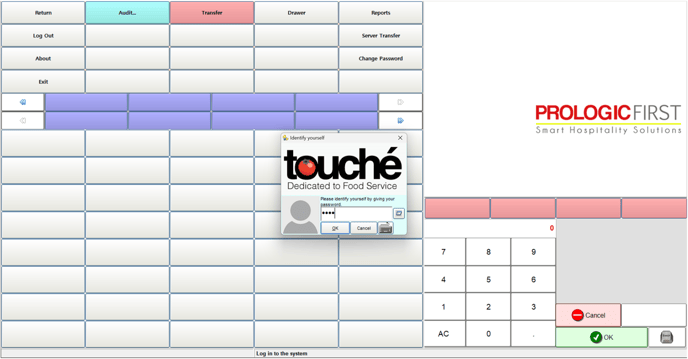
If you are using hybrid/CAP setup, please wait till next day morning for the menu to reflect in POS. To make it immediate, run the MasterSync in server or contact POS support line