![logo.png]](https://kb.prologicfirst.online/hs-fs/hubfs/Imported%20sitepage%20images/logo.png?height=40&name=logo.png)
Non-Chargeable checks are those which can be linked to an employee, person or entity to apply a 100% discount to their name. This will not be accounted for in the Day Summary Report, instead there will be a separate set of reports for it. NC Checks follow a sequence of their own as well irrespective of the outlet its punched from.
Prerequisite:
- NC check setup enabled (NC Check opening and Settle NC Check buttons access)
NC Check is used for opening a non-chargeable check
Settle NC Check is used to settle the same
(Note: If there is any issue identifying the buttons, kindly contact support)
- Configurations done accordingly, refer here: https://kb.prologicfirst.online/articles/pos-nccheck-config
Note: NC Checks settles only under Settle NC Check button. Normal Checks cannot be converted to NC Checks and vice versa. Kindly open using the correct check type.
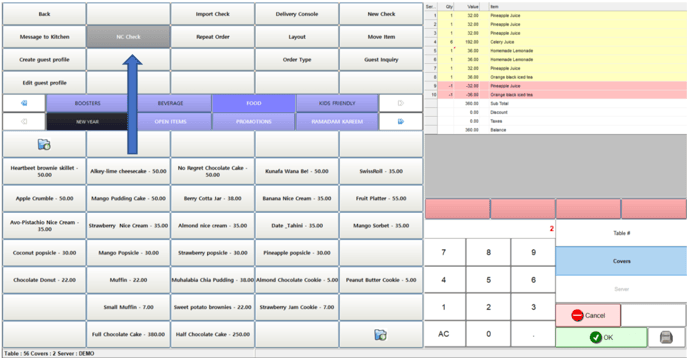
- To Open an NC Check, Select NC Check and enter table cover details, punch the required items and save the check.
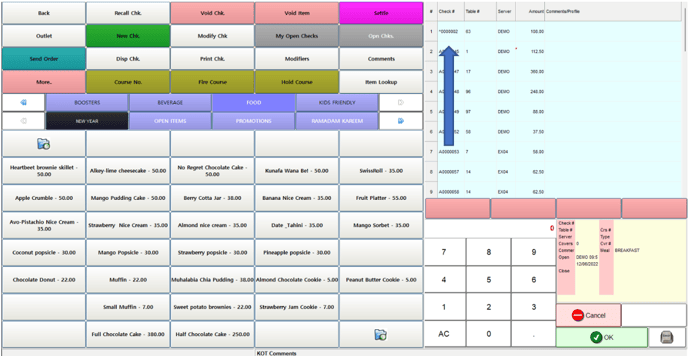
- Saved NC Checks before settling will be shown under Open Checks under the different sequence number starting with '^'
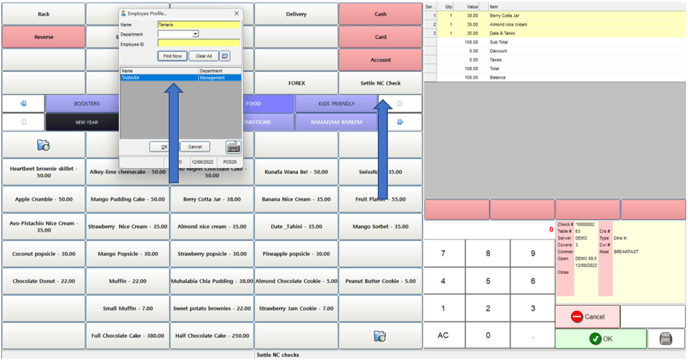
- To Settle and NC Check, In the Payment/Settle screen, select Settle NC Check and search/select the employee for whom it is Non-Chargeable
Confirm on the settling as below
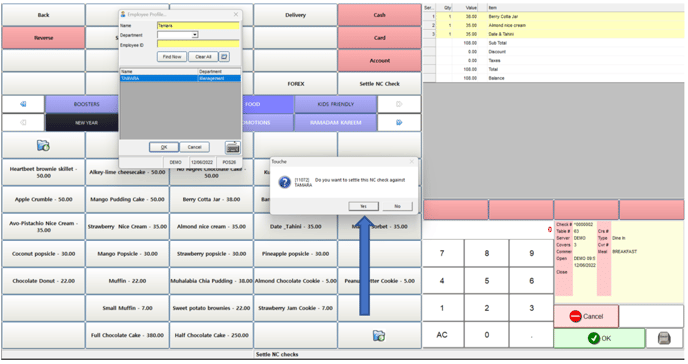
After the above, the bill will be settled as an NC Check.