![logo.png]](https://kb.prologicfirst.online/hs-fs/hubfs/Imported%20sitepage%20images/logo.png?height=40&name=logo.png)
Prerequisite:
- NC check setup enabled (NC Check opening and Settle NC Check buttons access)
NC Check is used for opening a non-chargeable check
Settle NC Check is used to settle the same
(Note: If there is any issue identifying the buttons, kindly contact support)
Non-Chargeable checks are those which can be linked to an employee, person or entity to apply a 100% discount to their name. This will not be accounted for in the Day Summary Report, instead there will be a separate set of reports for it. NC Checks follow a sequence of their own as well irrespective of the outlet its punched from.
NC Check settlement uses employee names assigned to departments, which can be pre-defined in the system, or allowed to be entered by the operations user if permitted. The latter can be configured by contacting support when required, for the other the setup can be done as below.
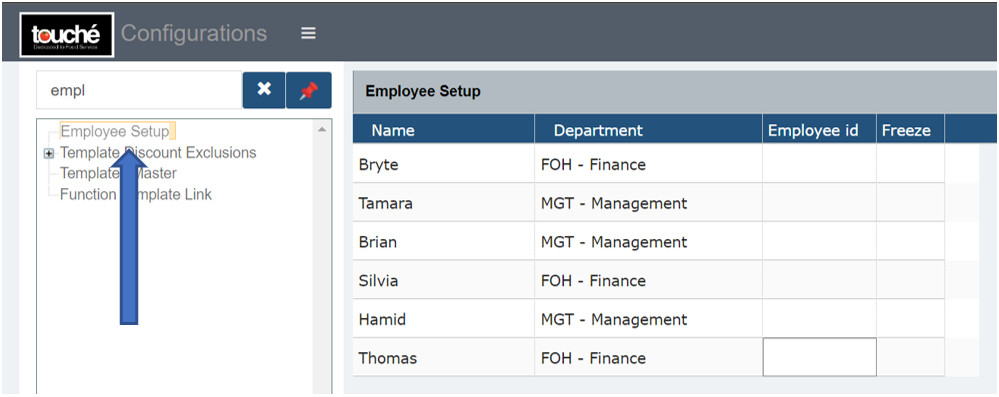
- Employee Details are filled in Configurations under Employee Setup, Employee Departments can be created/modified in Inhouse Departments.
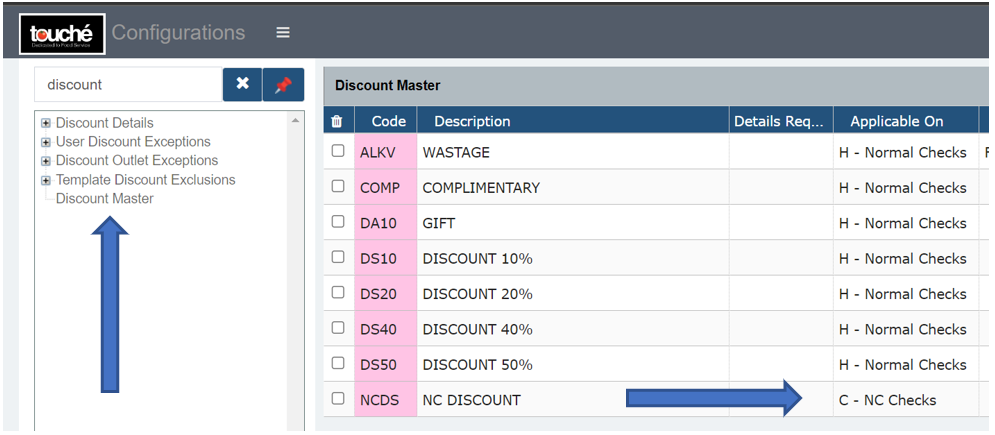
- NC Discount(s) can be created in Discount Master and Discount Details, configured as 100%/. At least one should be created.
Once configured, usage can be done as shown here: https://kb.prologicfirst.online/articles/pos-nccheck-use