![logo.png]](https://kb.prologicfirst.online/hs-fs/hubfs/Imported%20sitepage%20images/logo.png?height=40&name=logo.png)
Prerequisites:
-
WebTouche Link
-
Administrative Configurations Login
- Configurations Access to Items Master and Item-Menu Link
-
Item Price Details
-
Sub Menu Details
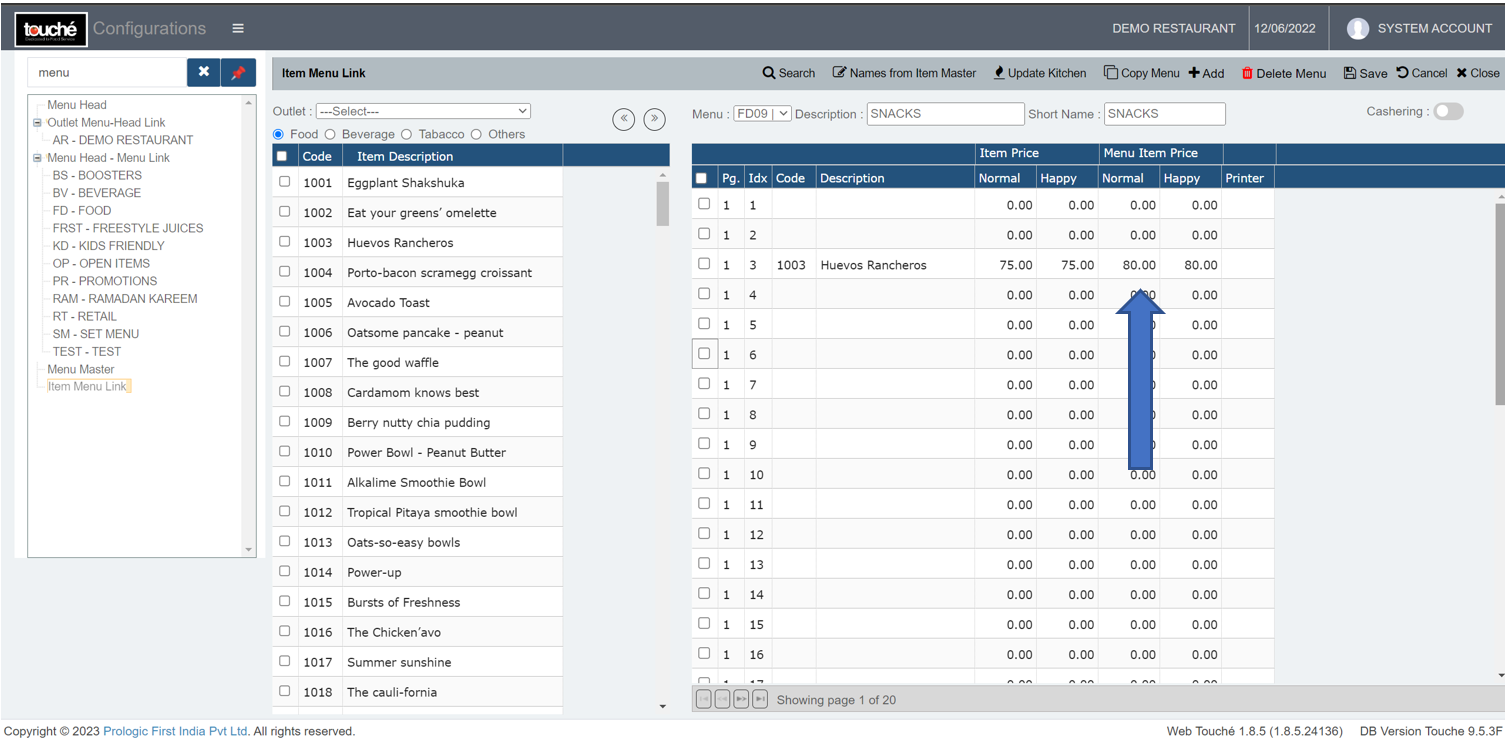
Item price can be changed at 2 levels, depending on whether price is entered at sub-menu level or not.
1. Either at Item Menu Link (This will override the prices in Item Master, leave it as zero if it should only pick price from Item Master)
2. Either at Item Master (If there is no price entered in Item Menu Link, changing here will reflect in POS)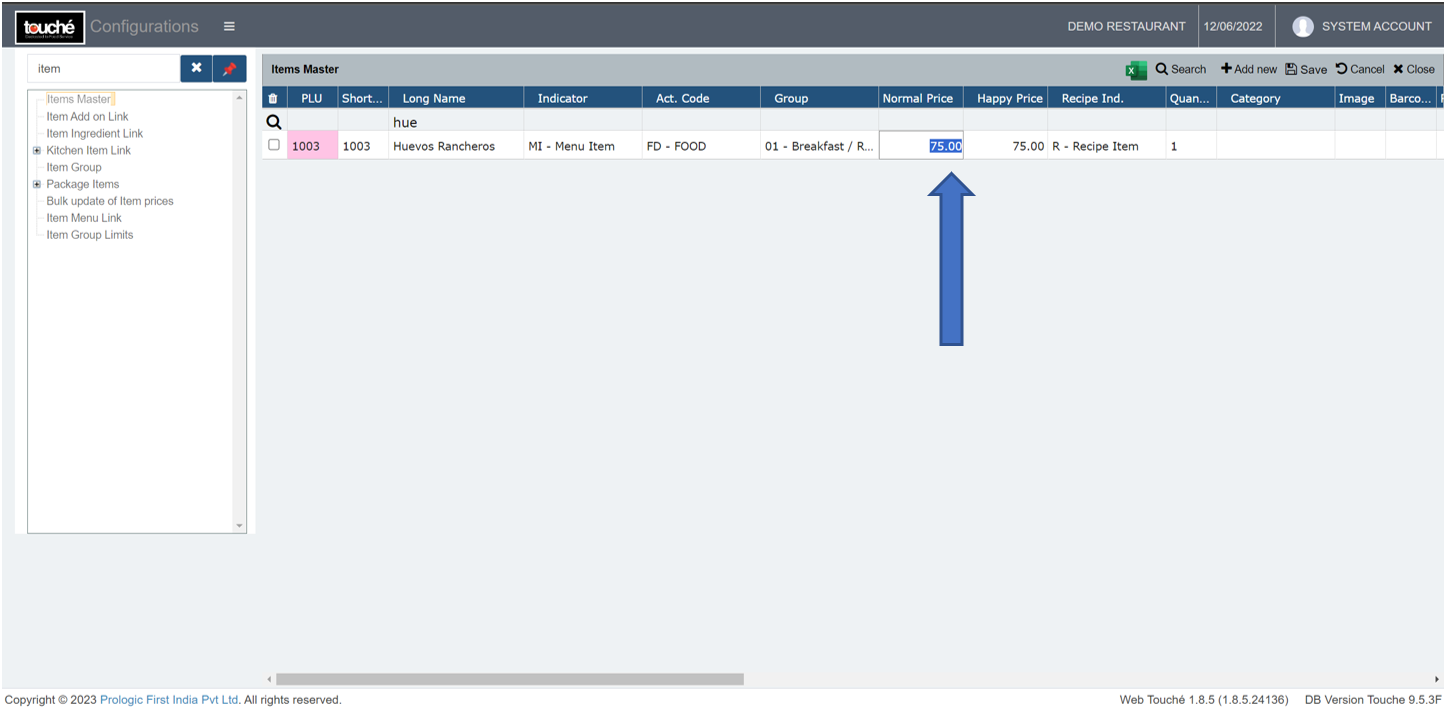
Note: If you are using hybrid/CAP setup, please wait till next day morning for the menu to reflect in POS. To make it immediate, run the MasterSync in server or contact POS support line