![logo.png]](https://kb.prologicfirst.online/hs-fs/hubfs/Imported%20sitepage%20images/logo.png?height=40&name=logo.png)
Integrations referred to:
1. QR eMenu Portal Interface
2. UrbanPiper Delivery Aggregator
3. Deliveract Delivery Aggregator
Prerequisites:
-
WebTouche Link
- Property setup integrated with external application
-
Administrative Configurations Login
- Configurations Access to Outlet Master and Menu Master
Touche has a built-in feature to push item-menu setup outlet (revenue center) wise for sharing the items and menus, as well as to receive order data to automate punching in the POS. This is applicable in the case of simplifying order taking procedures for particular use cases. It is crucial that this is done on every modification with menus or items done in the POS that needs to be in sync with the external application.
Pushing Item-Menus to External Interface
Given that your items, menus, addons and categories are setup/modified correctly, pushing the changes or the menu entirely can be done by:
1. Going to Outlet Master, scrolling to the right and selecting the box of the outlet under Update Channel.
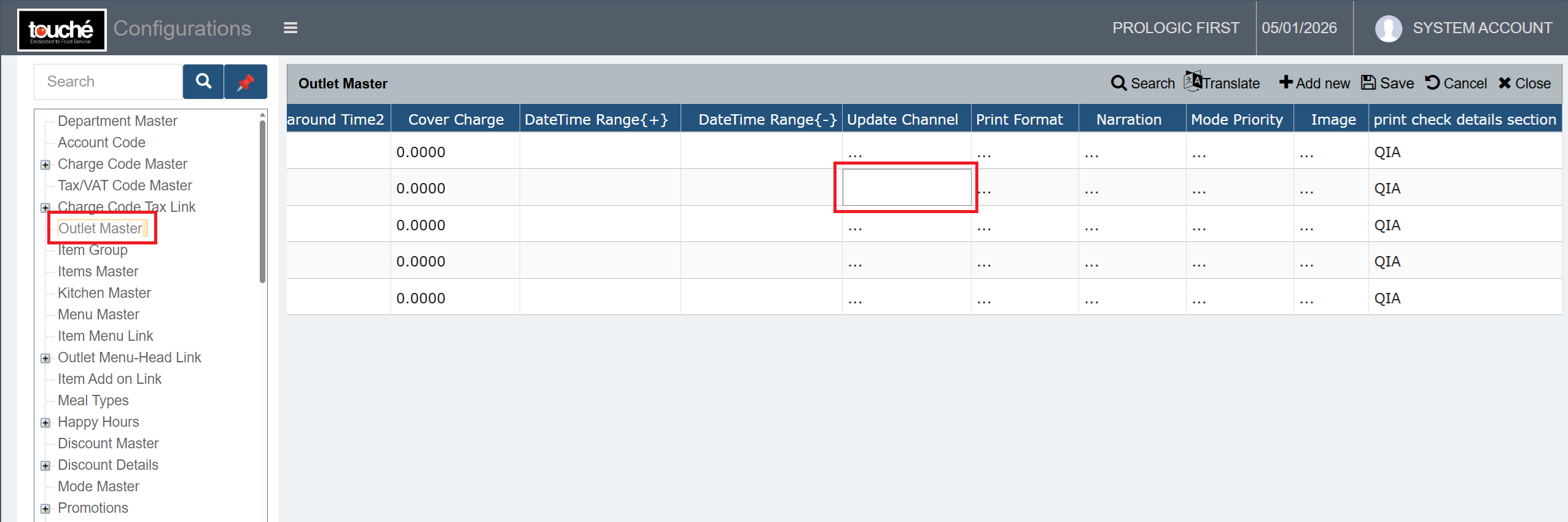
2. Once the preview opens as below, tick the box against the external application configured which you want to push to, and select Upload Data.
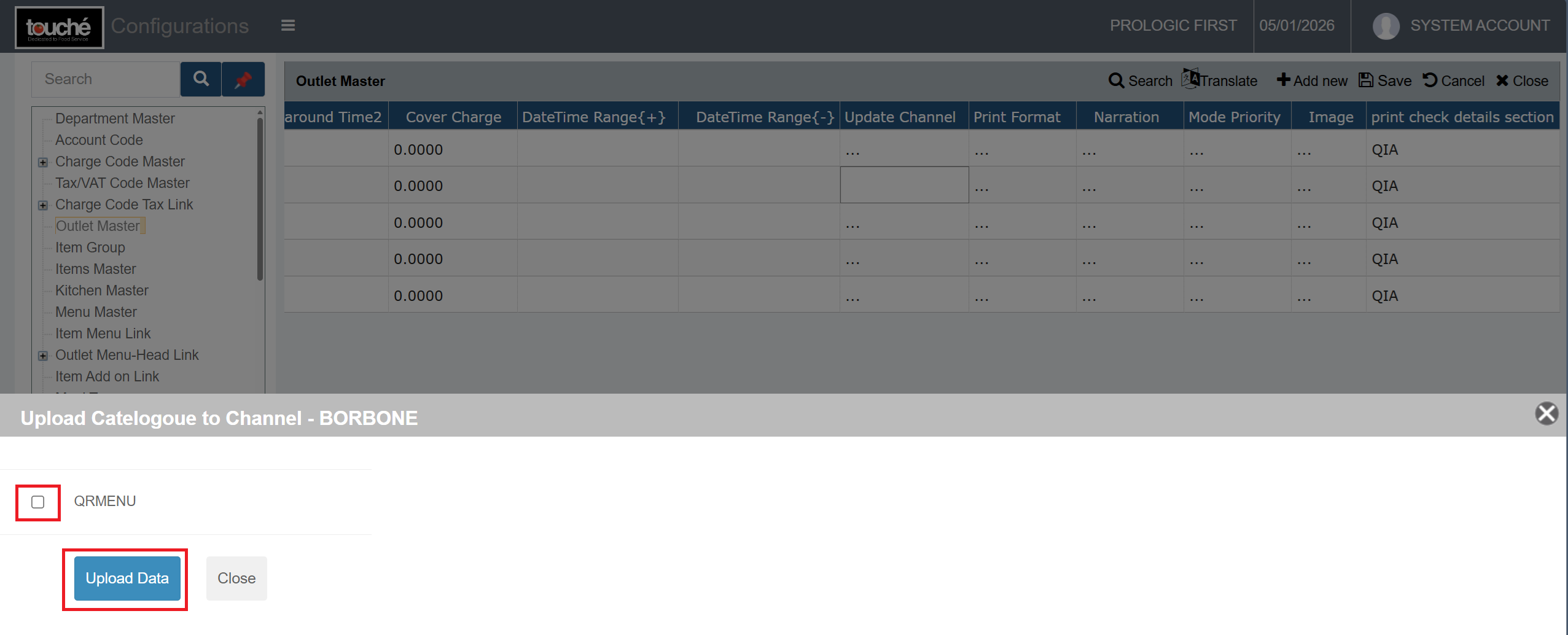
Depending on the status of the push, message will be shown if it was a success or failure.
If any error is shown, it means failure has occurred. Kindly approach our support
Exception of Menu being pushed to External Interface
Menus can be blocked from being sent by going to Menu Master and ticking the boxes under Don't send to Channel against the menu. This is best to be used when a menu is not needed in the app at all or anymore.
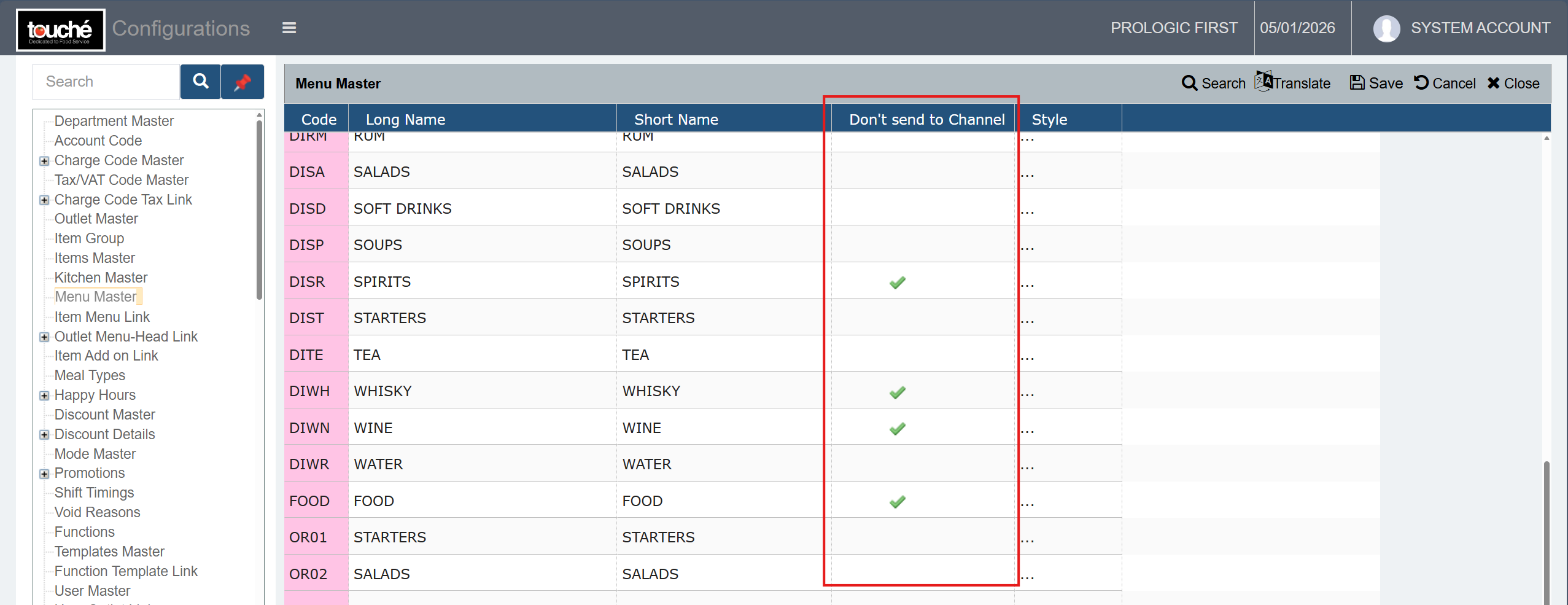
While the modification and addition of items and menus do get send to the external app on push, automatic deletion of items and menus in the external app depends on the integration done. Some external apps do not have the feature to get deleted on push, where you will need to manually make the changes in the external app.