![logo.png]](https://kb.prologicfirst.online/hs-fs/hubfs/Imported%20sitepage%20images/logo.png?height=40&name=logo.png)
Prerequisites:
-
WebTouche Link
-
Administrative Configurations Login
- Configurations Access to Items Master
-
Item Details
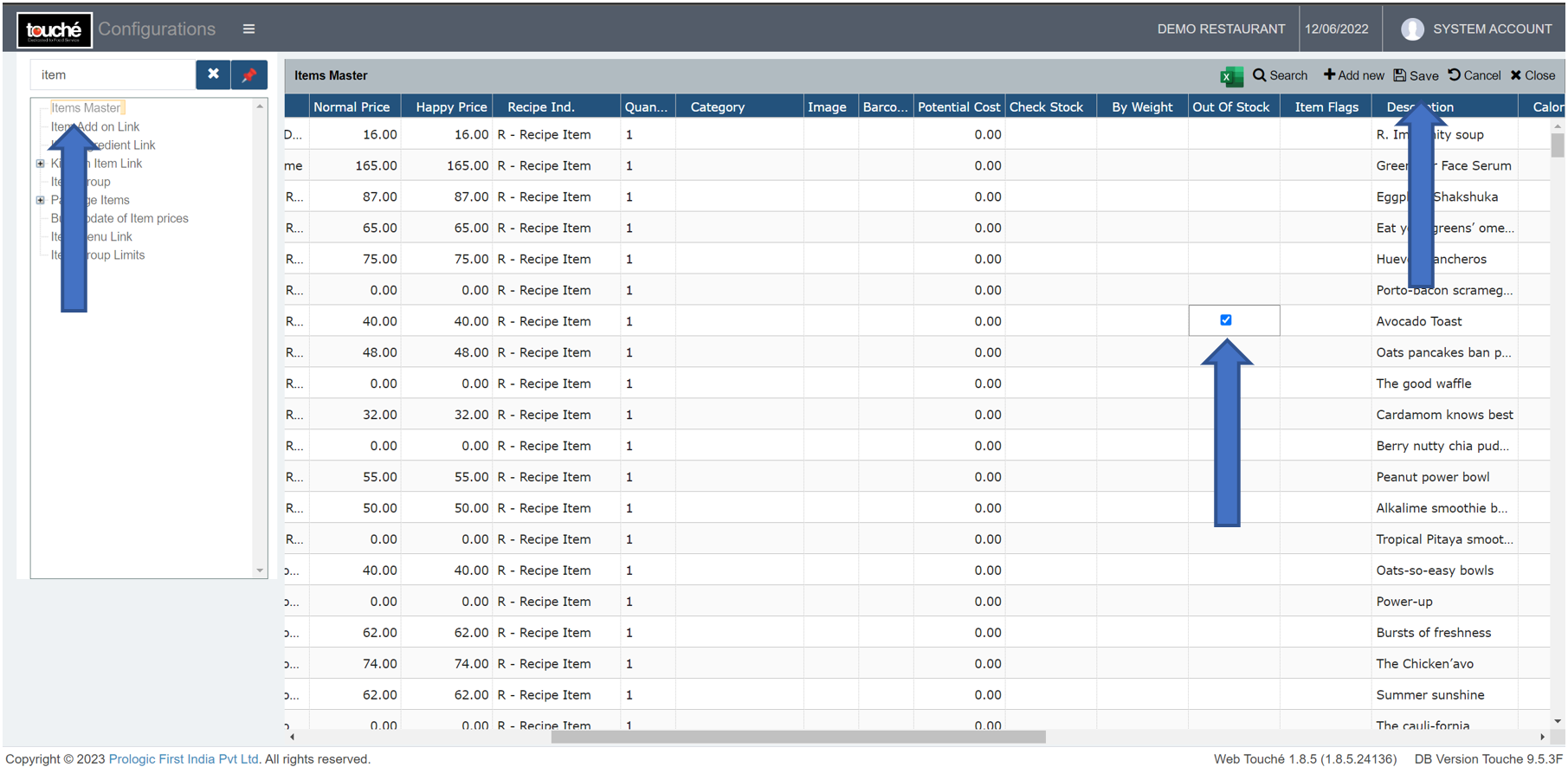
Items in a menu once punched and part of sale cannot be removed or deleted, but they can be disabled instead.
For this,
1. Go to Items Master and scroll to the right against the item
2. Tick the box for Out Of Stock and click on
3. The item will disappear in the POS
Note: If you are using hybrid/CAP setup, please wait till next day morning for the menu to reflect in POS. To make it immediate, run the MasterSync in server or contact POS support line