![logo.png]](https://kb.prologicfirst.online/hs-fs/hubfs/Imported%20sitepage%20images/logo.png?height=40&name=logo.png)
Touche interfaces with WebProlific Accounting Module by means of mapped GL and AR codes against Charge Codes, Taxes/VAT and Settlement Modes. The transfer from Touche POS to Back Office takes place every day further to the completion of the Night Audit/Day End in the POS.
To ensure that the transfer is correctly done so as to make sure no entries are missed or invalid, the below masters can be check to apply/manage the GL/AR codes. These should be created in the Back Office prior to any transfer. Once entered, Click Save to confirm for each masters
- GL codes for Revenue Heads are mapped in Charge Code Master under Revenue GL and Discount GL. Ensure to select the '+' sign and select the Department Name after, further to which you can apply/manage the codes.
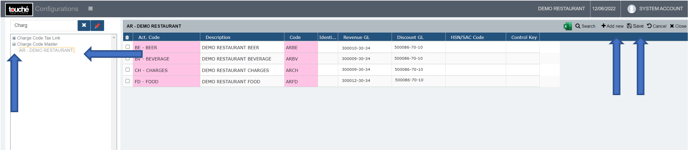
If Meal Type Wise Account Codes are used, you do not need to link GL to the Master Account Code.
- GL codes for Taxes/VAT are mapped in Tax/VAT Code Master under Revenue GL Code

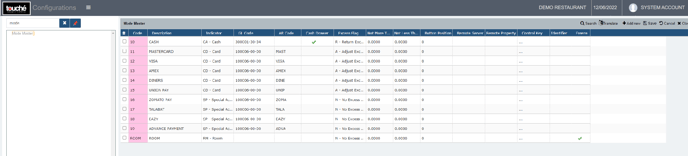
- GL and AR codes for Settlement Modes are mapped in Mode Master under GL Code and AR Code respectively
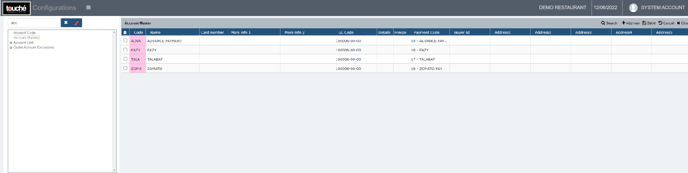
- GL and AR codes for Special Account modes are mapped in Account Master under GL Code and Code respectively
If you are using hybrid/CAP setup, please wait till next day morning for the menu to reflect in POS. To make it immediate, run the MasterSync in server or contact POS support line