![logo.png]](https://kb.prologicfirst.online/hs-fs/hubfs/Imported%20sitepage%20images/logo.png?height=40&name=logo.png)
Please find the below link for the application to be running:
https://prologicdxb.sharepoint.com/:u:/s/SupportTeam905/EazsMIaj2f1Kr5tAGkLC9zcBKiwnU0lyNj2nRtJelUcfDA?e=dG6HKj
Prerequisites:
- Public IP or Dyndns
- Venue ID, Base URL, Client ID, Client secret (from Seven rooms).
Step 1: Host a separate application pool as 7Rooms and enable 32 bit.
Step 2: Host a separate site in inetmgr for 7Rooms. Below sample:
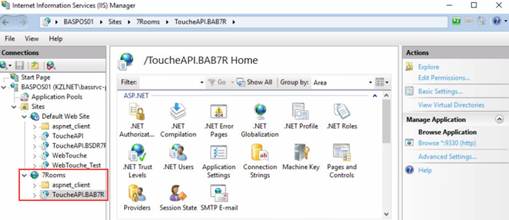
Step 3: Host the Touché API shared in the set. Please make sure you change the server IP and property ID in the web.config.
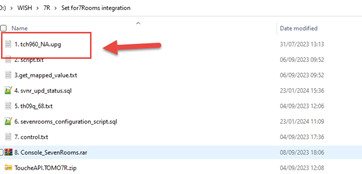
Step 4. In the set please run the scripts and sps marked according to their numbers. Below sample:
Step 5: Add the configurations in interface configuration screen from WebTouche:
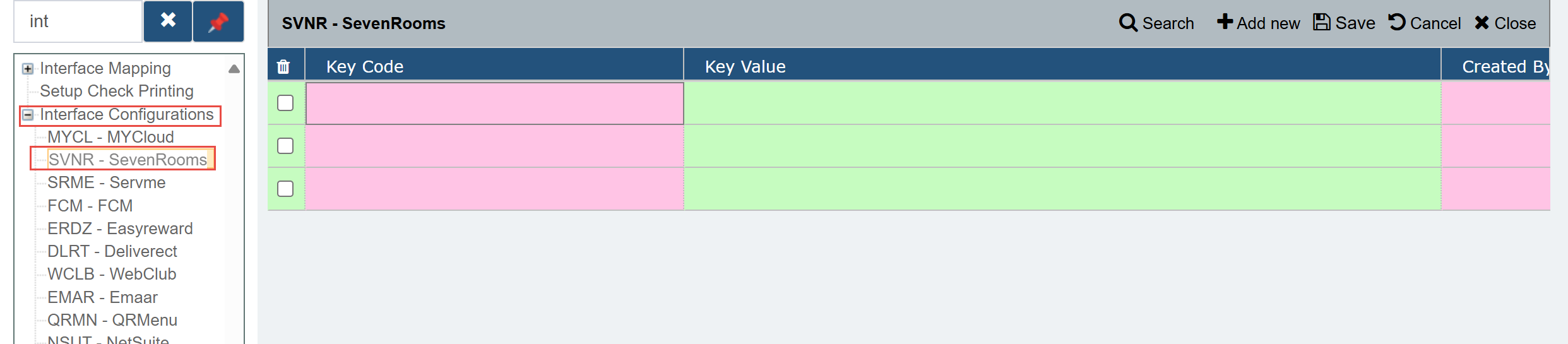
'Authorization','https://api.sevenrooms.com/2_4/auth'
'BASEURL',     'https://api.sevenrooms.com/2_4'
'ClientId',     ''
'ClientSecret',     ''
'PosId',     'touche'
'VenueID',     ''
Please note Client ID, Client Secret, Venue ID is to be provided by Seven Rooms.
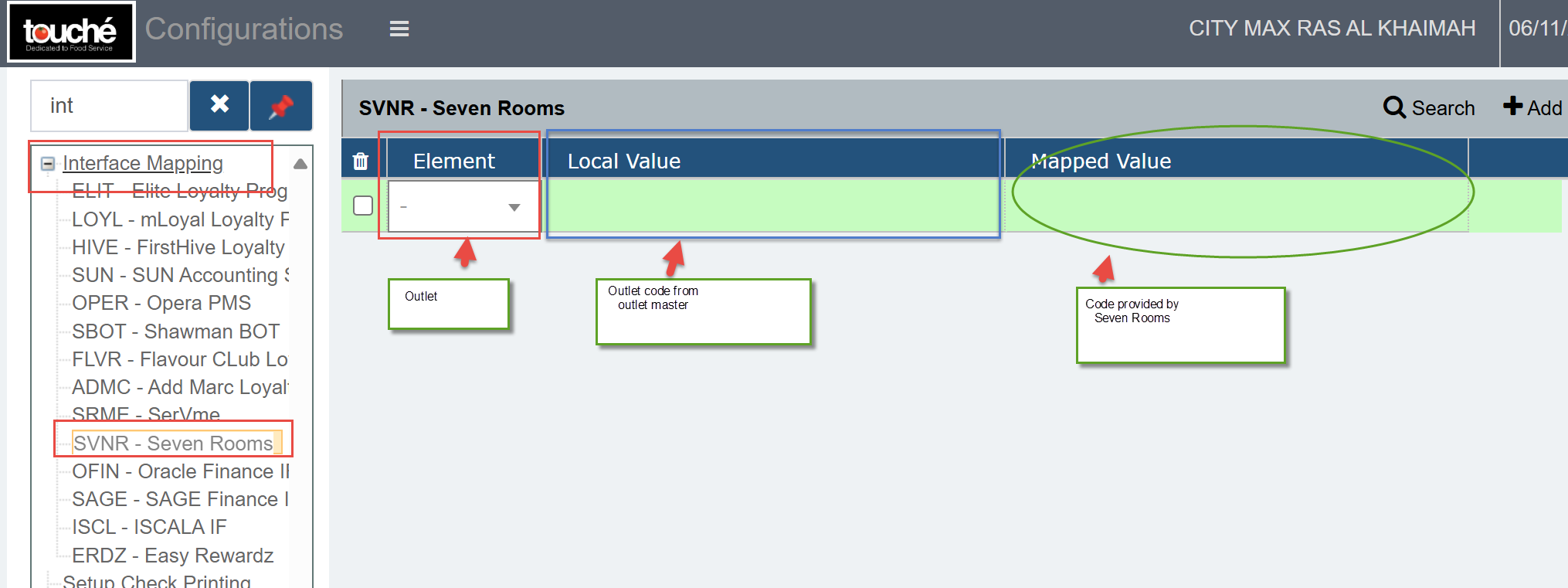
Step 5: Please insert the Venue ID from Interface mapping:
Step 6:
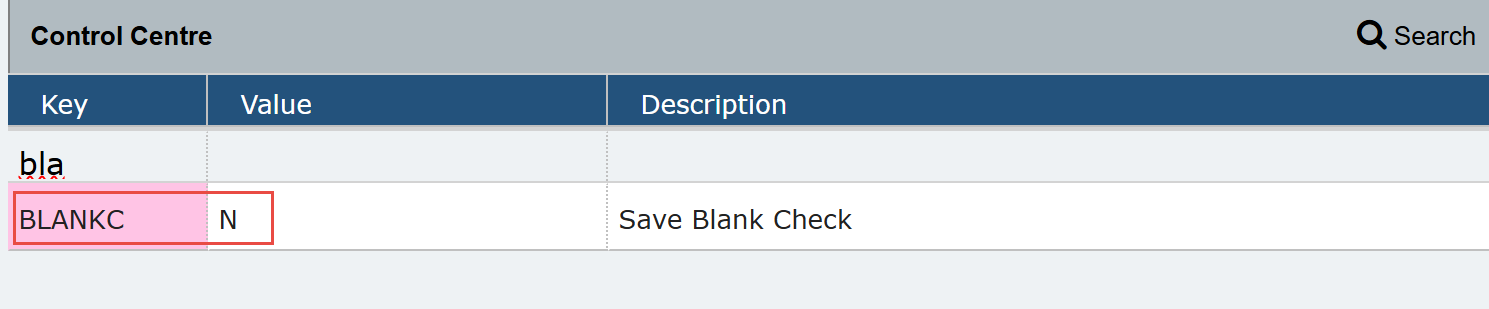
Change the control from Control center BLANKC to Y
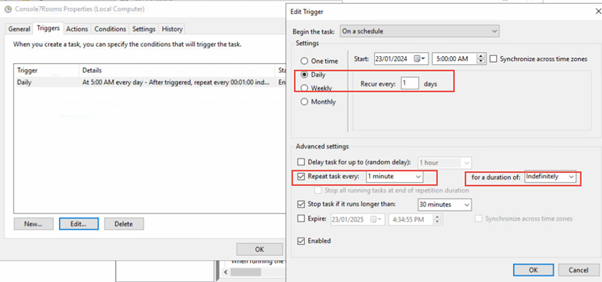
Step 7: Schedule the console application, from Windows task scheduler to run every minute.