![logo.png]](https://kb.prologicfirst.online/hs-fs/hubfs/Imported%20sitepage%20images/logo.png?height=40&name=logo.png)
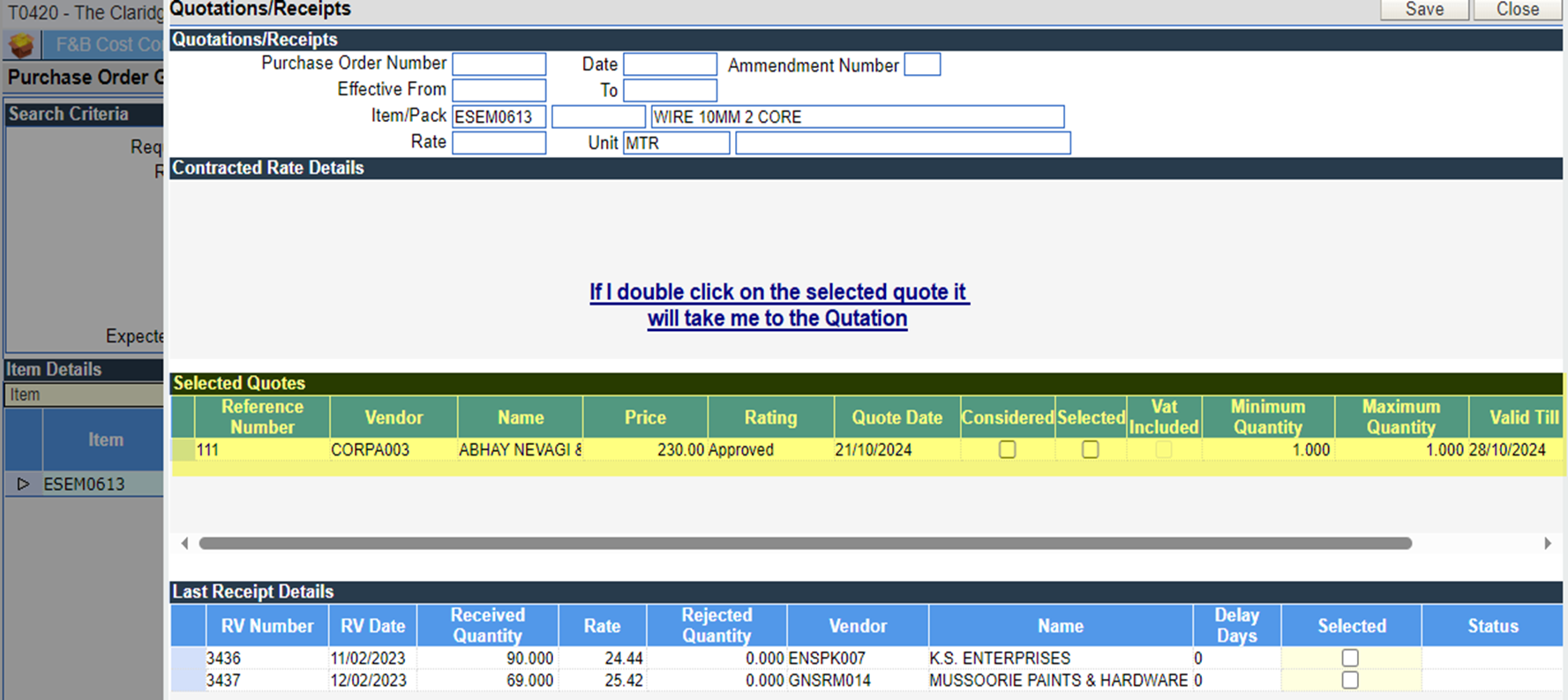
While clicking on the ‘open quote’ in PO and quotation details will pop up and while double clicking on the quotation the entry will open.
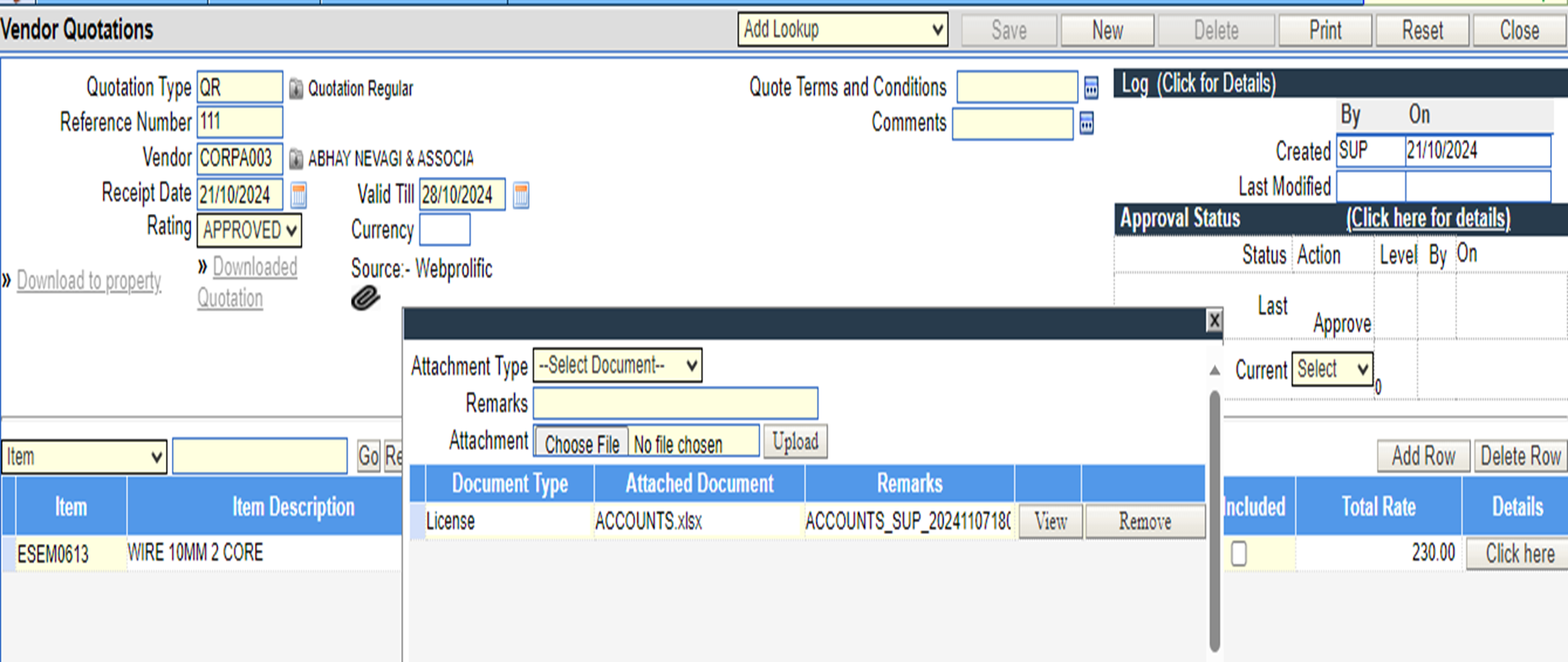
The quotation attachment can be viewed once the user drills to the entry from Quotation.
Once the quotation is open the attachment can be viewed from the same window.