![logo.png]](https://kb.prologicfirst.online/hs-fs/hubfs/Imported%20sitepage%20images/logo.png?height=40&name=logo.png)
Step 1: Open the User Setup screen from the Systems Configuration tab.
Step 2: Use the dropdown menu in the User ID field to search for an existing user.
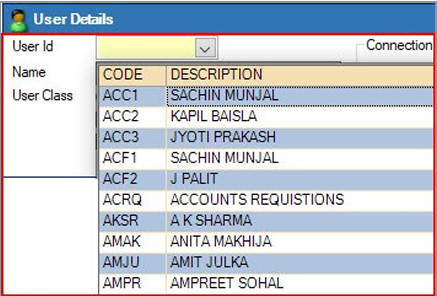
Step 3: Update or modify the user details as needed.
Step 4: Click ‘Save’ to apply your changes.