![logo.png]](https://kb.prologicfirst.online/hs-fs/hubfs/Imported%20sitepage%20images/logo.png?height=40&name=logo.png)
Prerequisites:
- The client system must be able to access the server system.
- The client system should be able to access the shared folder on the server where the Wishnet frontend is located.
- Please note that Wishnet is compatible only with Windows and is not supported on macOS or Linux operating systems.
STEPS TO INSTALL:
- Copy the frontend folder from the server PC and paste it to the required client PC. Additionally, locate the Crystal Reports installation file, which can typically be found in the adjacent folders, possibly in a folder named "TOOLS."
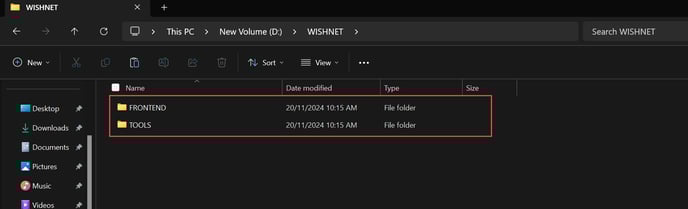
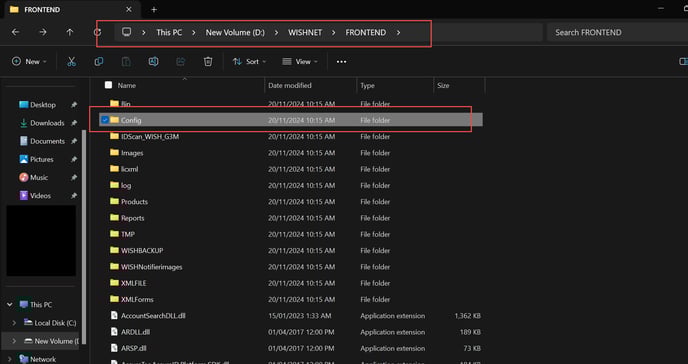
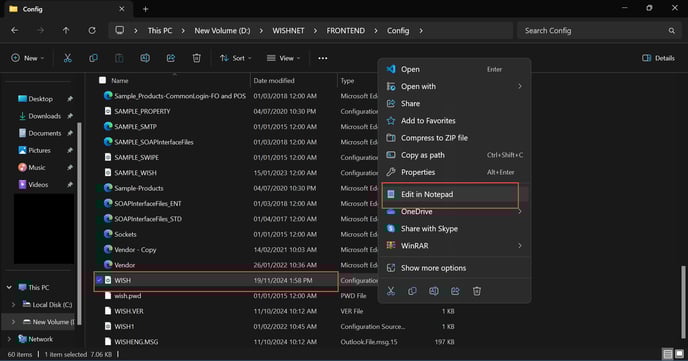
- Now, navigate to the Frontend folder and open the "Config" folder. Then, locate the file "WISH.CFG", Edit with Notepad, and update the paths below to reflect the latest directory locations.
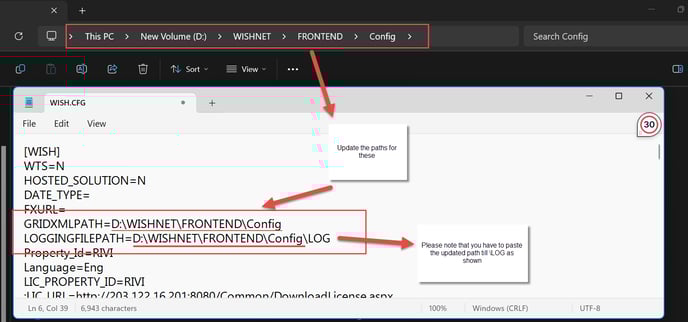
- After updating the paths, install Crystal Reports Developer Edition 2005. You can find installation guides on YouTube, and the serial key is located in the Tools folder.
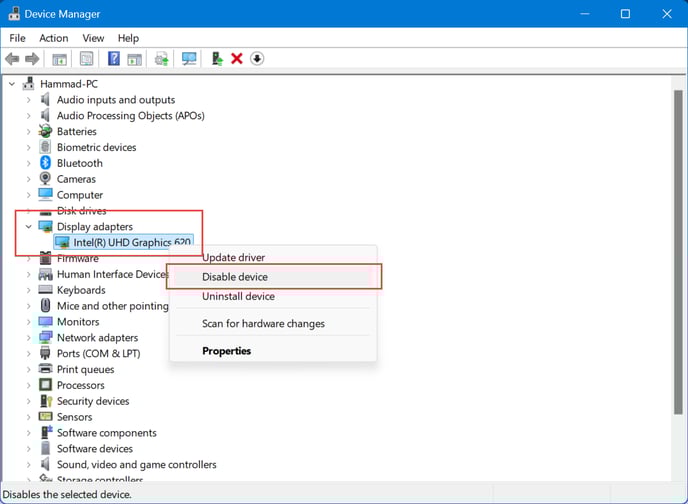
- Next, you will need to disable your display driver. To do this, go to Device Manager, locate "Display adapters," and disable the driver as shown below.
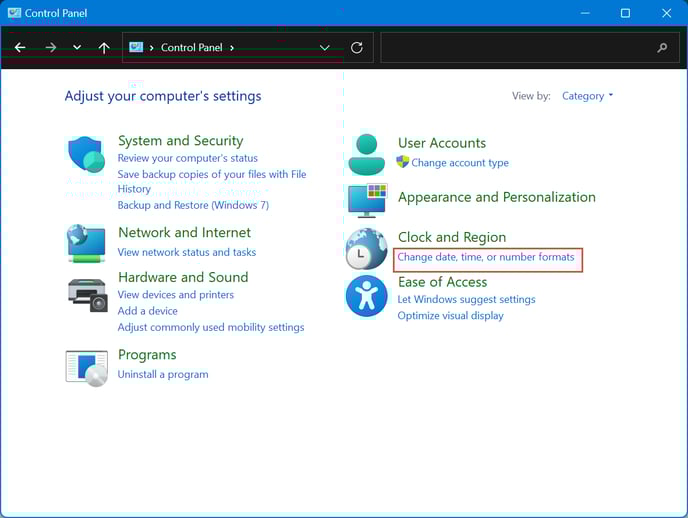
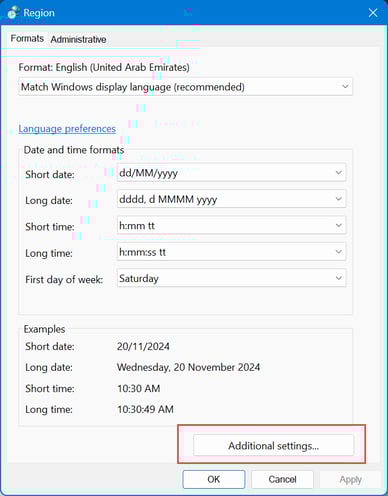
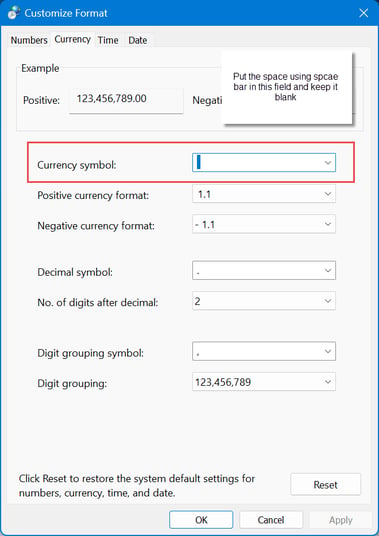
- Next, you must configure the date and time settings, which can be found in the Control Panel. Please make the necessary changes as indicated below.
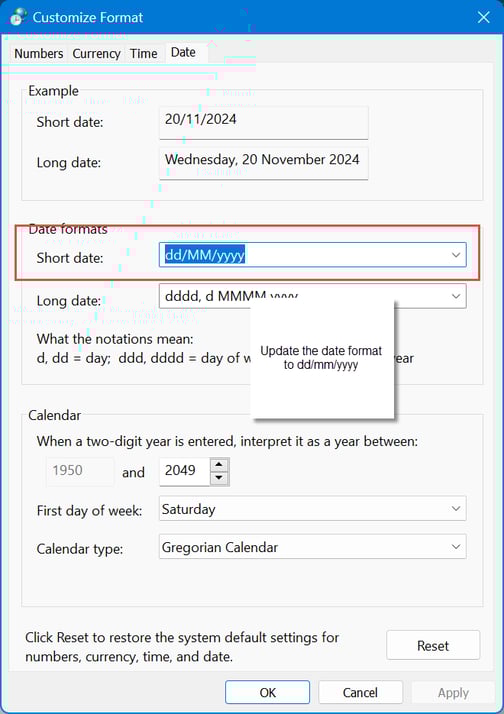
- and that is it you can use your Wishnet now.
Please get in touch with us if you are having any issues or need more clarification.