![logo.png]](https://kb.prologicfirst.online/hs-fs/hubfs/Imported%20sitepage%20images/logo.png?height=40&name=logo.png)
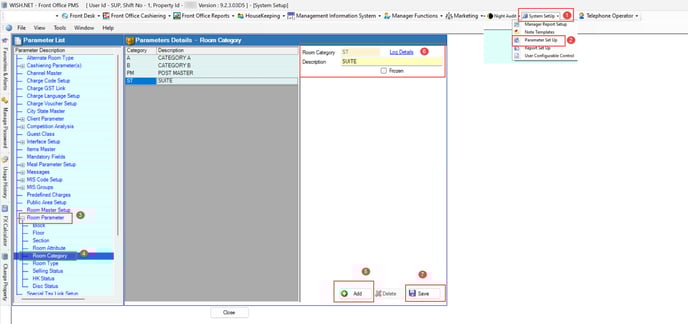
To create a new room Category Kindly follow the below steps.
- Open Front Office PMS.
- Click on system setup - Parameter Setup.
- Click on room Parameter -Room Category
- Click on new, fill in all the details, and click on save.
Notes:
- - **Room Category** This code is displayed consistently throughout the application.
- - **Description::** A brief name for the room Category.
- - **Frozen:** After selecting this, the room Category will no longer be displayed anywhere in the application.