![logo.png]](https://kb.prologicfirst.online/hs-fs/hubfs/Imported%20sitepage%20images/logo.png?height=40&name=logo.png)
- Login to the Webtouche and direct to the Reports
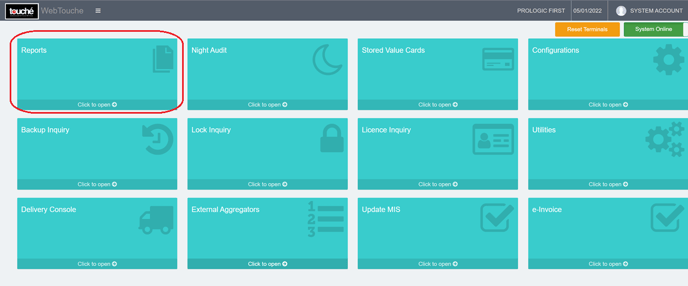
- Reports are categorized and choose the category to see the report options
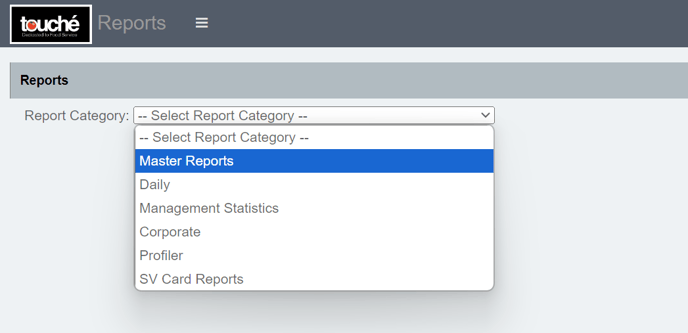
- Master Report - Various reports are under this and use this for getting the master data configured in the system Like items, menus, etc...
- Daily - Various reports under this and use this to get the detailed transaction data
- Management Statistics - Various reports under this and use this to get the summarised data like to see the sales for a month
- Corporate Reports - Various reports are included in this, and they are used to get data from multiple properties.
- Profiler - Use this to get the guest profiler-related reports
- SV Card Reports - Use this to get the store value card-related reports
♦ Corporate, Profiler and SV Card Reports may not available for all customers