![logo.png]](https://kb.prologicfirst.online/hs-fs/hubfs/Imported%20sitepage%20images/logo.png?height=40&name=logo.png)
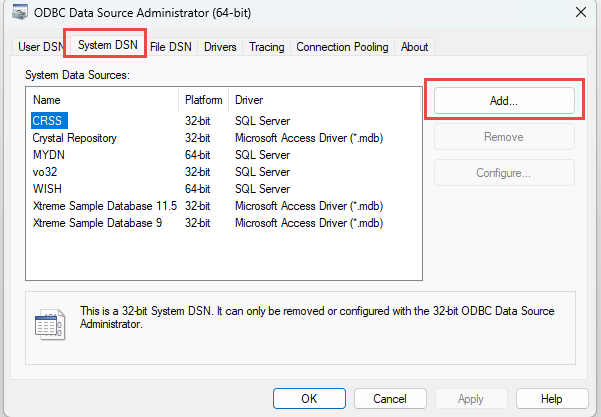
Step 1: Open ODBC in windows search, select System DSN and click on Add
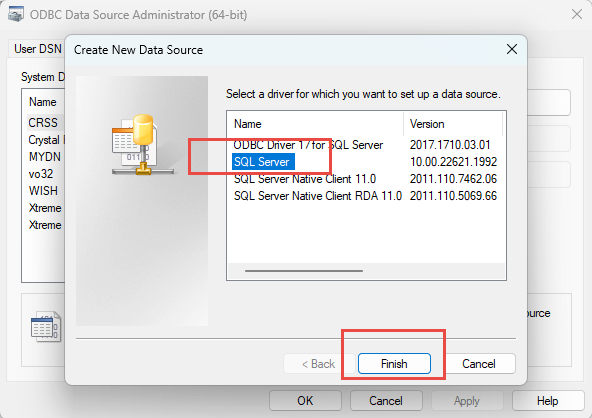
Step 2: Select SQL server and click on Finish
Step 3: Enter the name and description as you want (should be same) and the server ip and port then click next
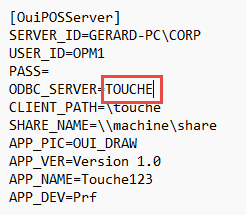
Please note the name and description should be the same as the one defined in the ini.oui
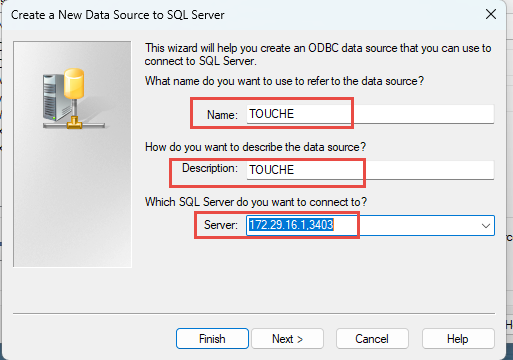
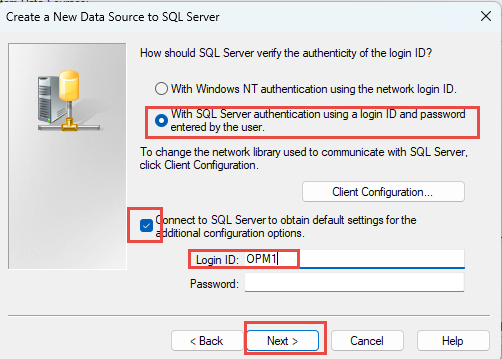
Step 4: Select and enter the details as below and click next:
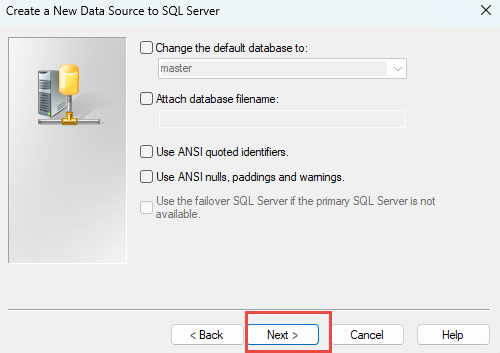
Step 5: Uncheck the ANSI boxes and click next
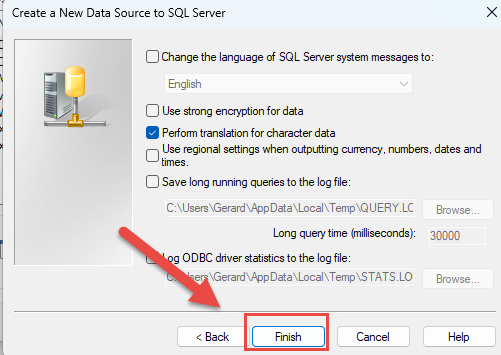
Step 6: Click Finish on the next window:
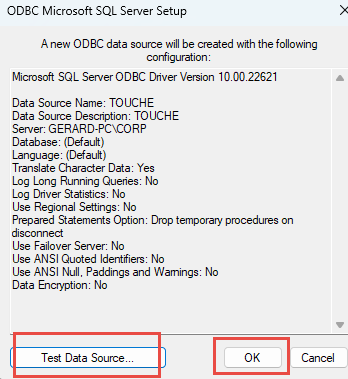
Step 7: Click on Test Data Source to verify the details entered are correct. once you get a successful message click OK:
After doing this Touche Excel reports will work.